Fur Infection LITE VR Fur Hub / FurHub
Named GUI players attach to HopeStar infection games — educational feature map only.
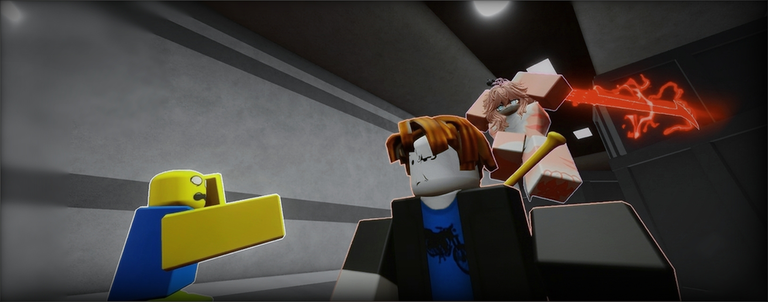
Fur Hub (also written FurHub or Fur Hub) is the obfuscated GUI that keeps getting re-uploaded for HopeStar Studio’s infection titles. Changelogs disagree across versions: some builds advertise keyless loaders, some claim mobile-friendly executors, some flip Xeno support on and off between uploads. Treat the paste in your clipboard as a different product from a six-month-old thumbnail.
This page is a feature map for education, not a support contract and not a green light. Pair it with script safety. If you want to play Fur Infection LITE VR, close this tab and open Getting Started. Listing these toggles does not mean they work on today’s remotes — many are patched, labeled WIP, or broken after [UPD] titles.
Claimed combat toggles
Community changelogs repeatedly list the same combat cluster:
- Hit Assist / hit aura — extended melee reach or auto-fire of combat remotes. Loud in a 30-player facility. Fastest way to collect reports.
- Punch stats — readouts that older builds already marked broken.
- Boss hit-aura notes — leftover from Outbreak-era Halloween passes; often irrelevant on LITE.
If Hit Assist “feels fine” in an empty private server, it is still a beacon in a public lobby. HopeStar and other players can see unnatural connect rates.
Infected and human cheats
- Autograbtp / auto grab teleport — tries to finish grabs for you. Marked maybe-broken after remotes moved on sibling titles; assume fragile on LITE.
- AntiGrab (WIP) — advertised as grab protection. WIP in the changelog means WIP in your round.
- Anti Furry — human-side crutch against morph pressure. Teaches bad habits when the toggle silently fails after a patch.
- Anti puddle — skips or deletes goo interactions. When it fails, you morph mid-route and blame the map.
- Delete spawn kill fields — lets morphs walk into human spawn. Instant report magnet; also why HopeStar keeps tightening spawn rules.
- Delete anti-combat protection — strips studio safeguards. Do not click buttons you cannot explain.
Movement, ESP, and meta
- Limited speed hacks — Outbreak players used to warn about staying near modest walkspeed values. Huge numbers trip detections.
- No jump cooldown — movement cheese that looks obvious in VR and on flatscreen recordings.
- ESP — player highlights through walls. Still a ToS break. Quieter than aura, not “allowed.”
- Staff Check — useful only if you actually leave when it lights up.
- Extra “anti-cheat” toggles — marketing labels inside a cheat GUI. Ironic and unreliable.
- Audio / decal spam on some builds — grief tools that empty servers and then empty your appeal ticket.
- “Remove game files” style buttons — never press mystery destructors.
Fur Hub keyless variants
Re-uploads often brand themselves keyless. Skipping a key site removes one phishing step; it does not remove obfuscation, remote HttpGet hosts, or Discord “exe loaders.” A keyless badge is not a HopeStar blessing. Keyed forks that demand surveys, Steam gift cards, or Roblox cookies are malware with extra paperwork — close them.
Obfuscation is intentional on many Fur Hub drops. That means you cannot audit what the paste does. Educational listing here stops at named features; we will not mirror a live loadstring that rotates every afternoon.
Zaxy Suite V1 and “ESP weapons” neighbors
Search results also surface Zaxy Suite V1 (hitbox expander, ESP, walkspeed, mobile claims) and simpler Fur Infection Lite script posters focused on ESP for weapons and players. They are separate products from Fur Hub, but they share the same risk profile: ToS break, ban potential, and high odds of being outdated for LITE’s place ID. If a GUI opens and never sees LITE morphs or shop tools, you attached to the wrong universe — see the scripts hub.
LITE attach test (educational)
- Join place
125466848790058— Fur Infection LITE VR — under HopeStar Studio. - Execute a loader once on an account you are willing to lose.
- If no GUI appears, stop. You probably grabbed an Outbreak-only paste.
- If the GUI opens but ESP shows nobody relevant, you are reading the wrong folders.
- After any
[UPD]on the updates hub, assume remotes moved and the hub is cosplay until proven otherwise.
VR players: Fur Hub is a 2D overlay. Pointing a laser at cheat toggles is miserable and still ban-eligible. Finish the VR checklist for legitimate headset setup instead.
What to enable if you ignore safety anyway
Enable nothing. If you ignore that sentence, ESP is the least theatrical toggle and still illegal under Roblox rules. Hit aura in a public lobby is how highlight reels and ban waves start. Spawn kill-field delete is how morphs ruin spawn for twenty-nine other people. Staff Check without leaving is theater.
Legitimate alternatives: learn shop order on the loadout tool, learn the facility on guides, and keep official Discord / group links bookmarked on wiki.
Broken does not mean “try harder”
When Autograbtp, Punch Stats, or AntiGrab are labeled broken or WIP in a changelog, spamming execute will not resurrect them. Patch days are when detections update too. Many Fur Hub mirrors you will find today are already dead on LITE. This wiki would rather you waste five minutes reading than lose a main account chasing a purple GUI.
Educational bottom line: Fur Hub is the name people search; HopeStar bans exploiters; scripts break ToS; keyless variants are still risky; Zaxy and ESP-weapon scripts are neighbors with the same ending. Play the vest route instead.
Frequently Asked Questions
Quick answers for Fur Infection LITE VR on Roblox.
Is Fur Hub keyless?
Many re-uploads are posted as keyless. That can change on the next mirror. Keyless is not the same as safe.
Does AntiGrab work on LITE VR?
It is repeatedly listed as WIP. HopeStar remotes move after updates. Do not trust a WIP toggle in a live round.
What is Autograbtp?
A claimed auto grab / teleport helper. Community notes already called it maybe-broken after Outbreak patches; LITE can differ again.
Can I use Fur Hub in VR?
The GUI is a flat overlay. Usability is poor and the ban risk is unchanged. Prefer the VR checklist for real headset setup.
Where is the safety warning?
Read script safety and the parent scripts hub before you consider any injector.